Meccha Chameleon First Match Checklist — New Player Setup (2026)
Just bought on Steam? Complete checklist before your first online match: install, launch fixes, controls, EULA, friend lobby, Mansion map, and what to read after round one.
Who This Checklist Is For
You purchased MECCHA CHAMELEON on Steam (or are about to) and want one ordered path from download to surviving your first round without ping-ponging between fix threads. This page connects the site's highest-traffic help topics into a single funnel: install → launch → login → controls → lobby → first hide. Skip steps you already finished, but do not invite friends until launch and EULA steps succeed solo — version and auth failures waste everyone's evening.
Step 1 — Buy, Install, and Patch
Search MECCHA CHAMELEON in Steam (App ID 4704690), complete purchase, click Install, wait for download. Before session night, open Steam → Downloads and confirm no pending update — current build is v4.1.1 as of 2026-09-16. Let patches finish before multiplayer; matchmaking requires every player on the same version. Full download and specs detail: Getting Started help page.
Step 2 — Launch Successfully (Solo Test)
Launch from Steam library. If crash or instant close: add -dx11 to Launch Options, verify game files, check PenguinHotel.exe compatibility flags. If login shows authentication token error: Authentication Token fix guide — not a reinstall problem. If game won't launch at all: Won't Launch fix guide. Goal: reach main menu alone before inviting anyone.
Step 3 — Accept EULA and Link Accounts
First successful boot may show terms agreement — accept in a language you understand. Steam thread reports friends cannot share lobbies until both accepted current EULA. If you picked random language at install and prompt vanished, verify game files to restore agreement screen — full walkthrough: EULA Fix guide. Epic Online Services links Steam identity for multiplayer — if token errors persist after Step 2, relink Steam at epicgames.com before friend invites.
Step 4 — Bind Controls Before Multiplayer
Esc → Settings → Controls. Confirm movement (WASD), paint menu (F), pose menu (R), and whistle if used. Rebind anything awkward now — not during a public lobby countdown. Read Controls & Keybinds guide for seeker tagging, free camera after elimination, and invert-Y status. Spend five minutes in a private empty room testing F and R if you have never played.
Step 5 — Create or Join Your First Lobby
Recommended first session: host password room on Mansion with 3–4 Steam friends. Host: Create Server → unique name → optional password → select Mansion → invite after settings locked. If Steam invites fail: Find Server by exact room name — Steam Invite fix guide. Everyone must be on same patch — Problems After Update if someone updated mid-night. Workshop maps wait until official map session succeeds.
Step 6 — First Round as Hider (60-Second Plan)
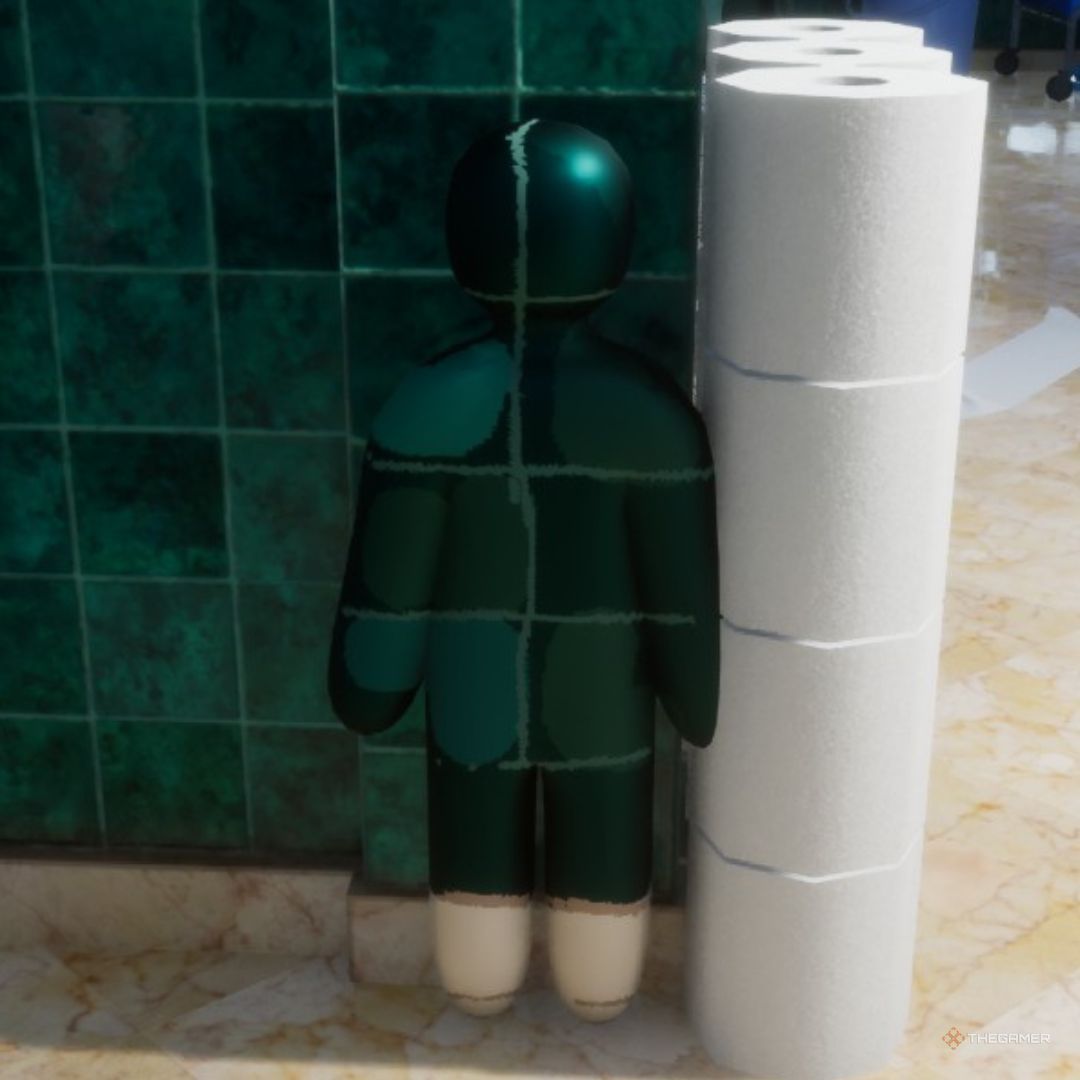
During prep phase on Mansion: path to a corner or bathroom tile zone, press F, eyedropper two tones (lit wall + shadow), paint simple blocks, press R for flat or crouch pose, freeze before hunt timer. Sample the pixel your body touches — not a distant wall. Pick one curated Mansion spot beforehand so you have a destination — browse hidden spots filtered by Mansion. Do not chase perfect art; survival beats aesthetics round one.
Step 7 — If You Start as Seeker
Sweep chest-height along walls and corners first. Watch for value mismatches — too bright or too dark blobs. Crouch for baseboards after failed chest pass. Tag with left mouse when you have line of sight. First seeker rounds teach camera height habits that make you a better hider later. Hunter Guide goes deeper after you understand the round loop.
Step 8 — After Round One, Read These Next
Survived or died fast — both outcomes mean you are ready for depth content. Priority order: How to Play beginner guide (full round loop), Tips and Tricks (quick wins), Color Matching (stop dying to wrong hue), Private Lobby Guide (friend night standards). If anything broke technically: Patch Fixes hub indexes every fix guide by symptom. If you want spots: Mansion map page plus top-rated hidden spots database.
Common Blockers Before Match One
Authentication token at first boot → auth fix guide. Game won't open → launch fix guide. Friend invite black screen → invite fix guide. Workshop Art Gallery kick → workshop loading fix guide. Laggy or blurry paint → lag fix guide. Version mismatch after patch → close game, restart Steam, new room. Bookmark this checklist for friends you recruit — most launch-week friction is skipped setup, not skill gap.
One-Page Summary
Install and patch → launch solo with -dx11 if needed → accept EULA → bind F/R in settings → host Mansion password room → fresh invite or Find Server → prep-phase sample and pose on Mansion → read How to Play and Color Matching after → use fix guides only when a step fails. Ten checked boxes beat ten hours of random public queues where you learn nothing except error messages.